
FAQ
How do I change personal information in OPAC?
カテゴリ:
5.1. Personal Services
Log in to OPAC.
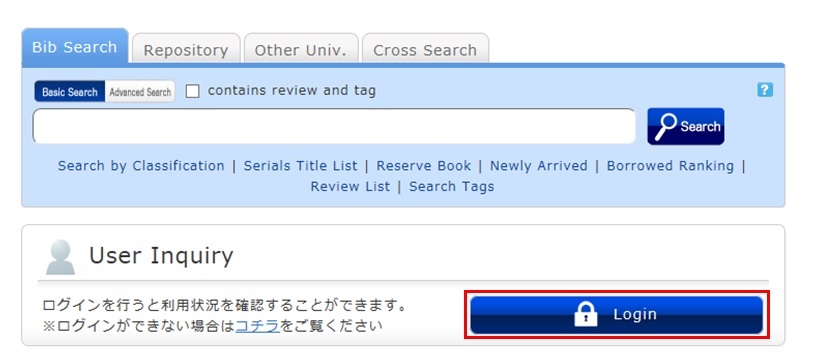
Click "Notifications to Mr./Ms. _____" in "User Inquiry."
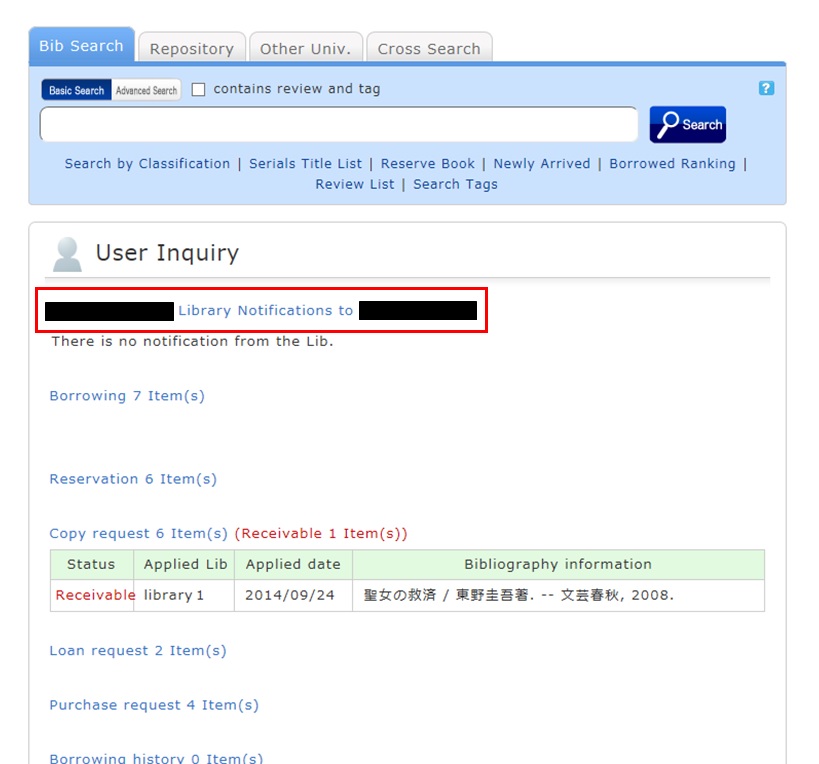
Click [Personal info.] in "Your Library Record."
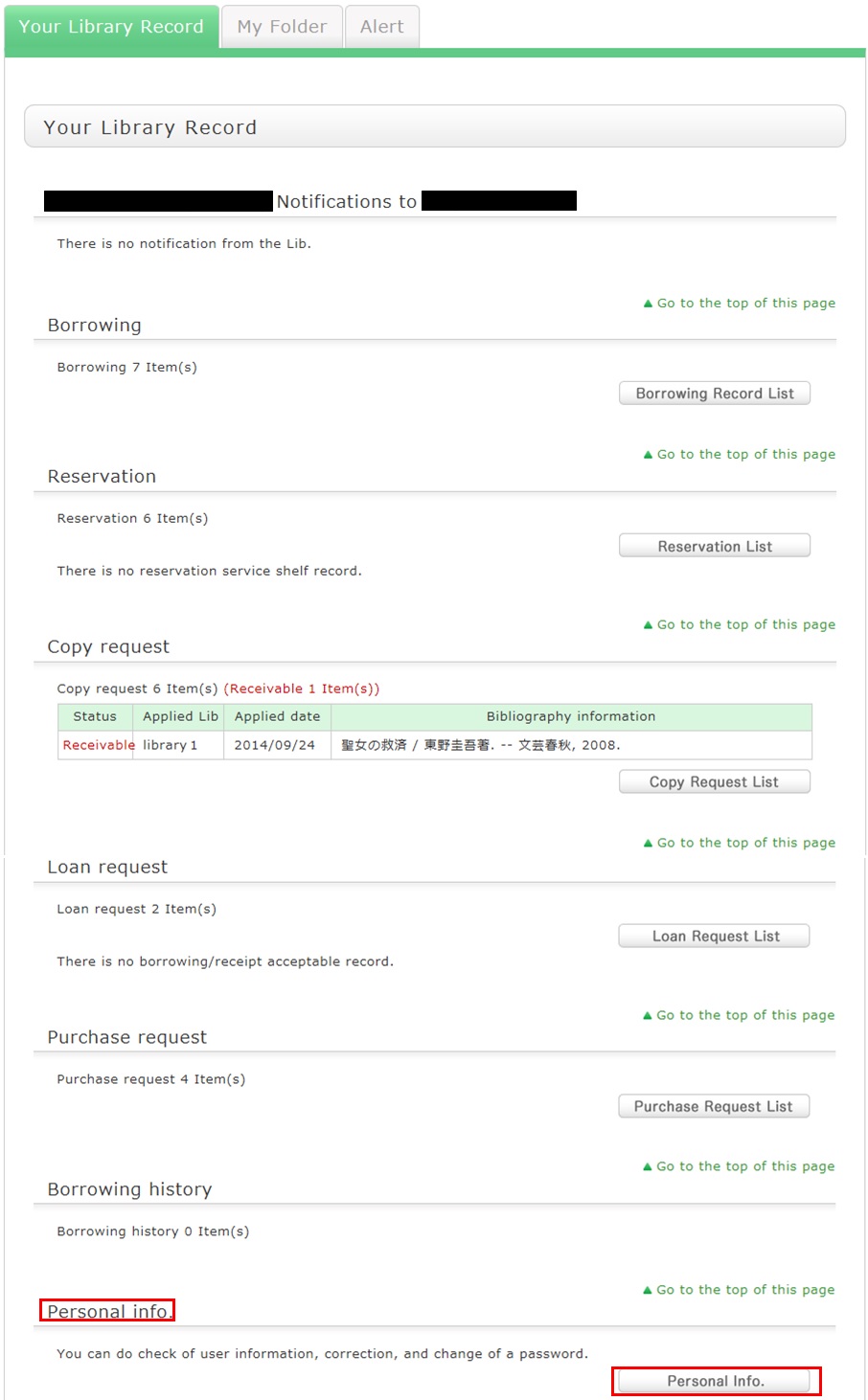
Click [Change Personal Info.] on the next screen, and make your changes.
(You will be able to select the updated information, such as an e-mail address, even for a reservation, ILL copy request, and ILL borrowing request.)
リンク

国立国会図書館 函館中央図書館
(函館大学論究・函大商学論究)
カレンダー
| 日 | 月 | 火 | 水 | 木 | 金 | 土 |
27 | 28 | 29 | 30 | 1 | 2 | 3 |
4 | 5 | 6 | 7 | 8 | 9 | 10 |
11 | 12 | 13 | 14 | 15 | 16 | 17  |
18 | 19 | 20 | 21 | 22 | 23 | 24 |
25 | 26 | 27 | 28 | 29 | 30 | 31 |
-
9:00-20:00
-
9:00-13:00
-
休館