

 図書館の開館予定(「私はロボットではありません」が繰り返し表示される場合は、Webブラウザ Google Chrome(グーグルクローム) にてご利用ください。)
 ・【貸出冊数/貸出期間】学部生:5冊/2週間, 大学院生:10冊/1カ月, 教職員:15冊/2カ月
・視覚障害者等へのサービスについてはこちら:220924平成国際大学図書館における視覚障害者等へのサービスについて.pdf
→ 本学の学生で、視覚障害等の理由で読書が難しい方は、国立国会図書館の「視覚障害者等用データ送信サービス」を利用することができます。
・平成国際大学の紀要等は 平成国際大学リポジトリ からも閲覧することができます。
※ 執筆者が非公開を希望した文献については本文を掲載いたしません。
・埼玉県大学・短期大学図書館協議会SALA加盟館による相互来館利用情報はこちら:240106【平成国際大学図書館】身分証受付館情報.pdf
→ 本学の学生で、視覚障害等の理由で読書が難しい方は、国立国会図書館の「視覚障害者等用データ送信サービス」を利用することができます。
・平成国際大学の紀要等は 平成国際大学リポジトリ からも閲覧することができます。
※ 執筆者が非公開を希望した文献については本文を掲載いたしません。
・埼玉県大学・短期大学図書館協議会SALA加盟館による相互来館利用情報はこちら:240106【平成国際大学図書館】身分証受付館情報.pdf
・「埼玉県大学・短期大学図書館協議会(通称SALA)」加盟館による相互来館利用の御案内
1.学生証/職員証を持参・提示することにより、SALA 加盟館を訪問利用することができます。
2.図書館によって利用できるサービス・留意事項等が異なるので、必ず事前に訪問先の情報を見て、詳細を確認してください。
3.特殊な資料を利用する際には、図書館を通じて、事前の問い合わせが必要です。
1.学生証/職員証を持参・提示することにより、SALA 加盟館を訪問利用することができます。
2.図書館によって利用できるサービス・留意事項等が異なるので、必ず事前に訪問先の情報を見て、詳細を確認してください。
3.特殊な資料を利用する際には、図書館を通じて、事前の問い合わせが必要です。
・情報デザイン学部用オンラインジャーナル(学内からご利用いただけます。)
Annals of the Institute of Statistical Mathematics
Annals of Statistics
Journal of American Statistical Association
Journal of Marketing
Journal of Marketing Research
Annals of the Institute of Statistical Mathematics
Annals of Statistics
Journal of American Statistical Association
Journal of Marketing
Journal of Marketing Research
日本語 | English
FAQ
The pop-up blocker appears when I reserve or copy materials or apply for an inter-library loan.
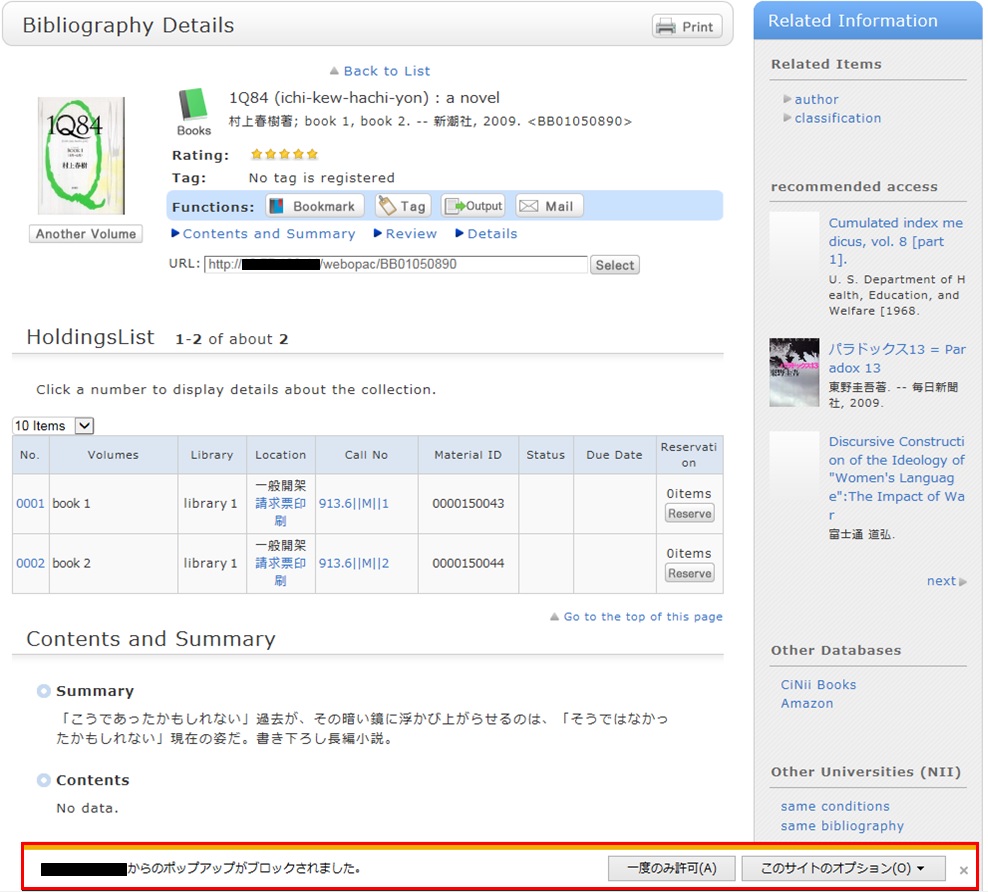
* The screenshot is from Internet Explorer 9. The pop-up blocker appears in different locations depending on your browser and version. For details, see the help of the respective browser.
The pop-up screen is used for all applications from OPAC, such as for a reservation, ILL, or new arrival alert. Therefore, enable pop-ups by using the following method. (The descriptions apply to Internet Explorer 9.)
- Temporarily allowing the pop-up blocker
Click [Allow once] on the pop-up blocker notification bar.
(Depending on the browser version, select "Temporarily Allow Pop-ups.")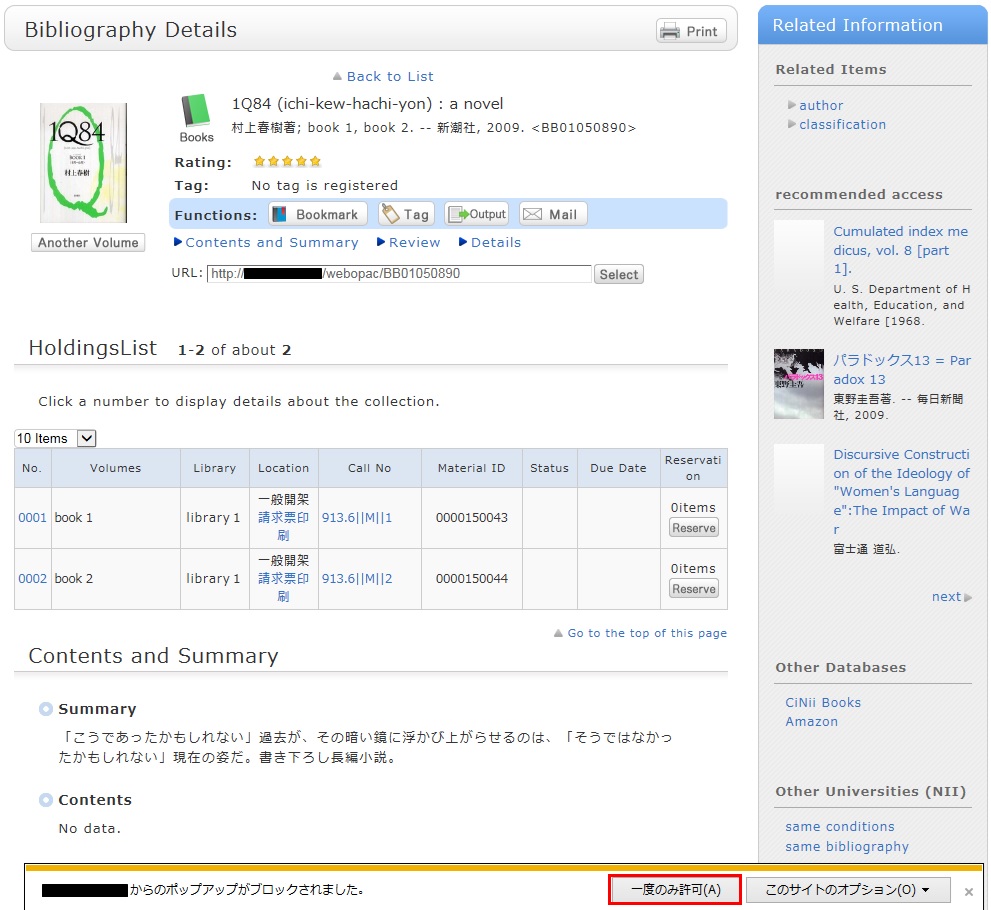
* However, with this method, if the browser is closed once, the pop-up blocker is enabled when the browser is started again. Consequently, the same work will need to be repeated to apply for a reservation or ILL in OPAC.
- Always allowing the pop-up blocker
Click "Always allow" from [Options for this site] on the pop-up blocker notification bar.
(Depending on the browser version, click the notification bar, and select "Always Allow Pop-ups from This Site.")
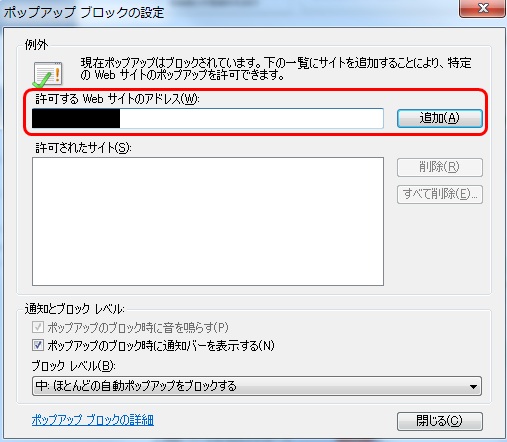
* Safari users are requested to go to Security in the browser settings menu to confirm that no check mark is entered in the "Block Pop-up Windows" check box.
* If you are a Google Chrome user, click here.
After enabling pop-ups as described above, repeat the procedure for your application from the beginning.
利用者サービス
携帯電話用Web-OPAC
携帯電話用Web-OPACは
こちらのQRコードからどうぞ!
URL:
https://opac.std.cloud.iliswave.jp/iwjs0011opc/cattab.do