

日本語 | English


FAQ
FAQ(English)
What do I do when I don't find the materials I'm looking for on the [Bib Search] tab? (Part 1)
- check the Kanji and spelling of keywords to see whether they are correct.
- Are searching by "Article title" or "Article author"? Try searching by serial title.
When you want to search by "Article title" or "Article author," try searching from the [Articles] tab. In such cases, you may also be able to read the text of electronic journals from a personal computer. - If you still do not find the materials you are looking for, try searching from the [Other Univ.] tab.
If you can confirm that the library of another institution possesses the materials you are looking for, you may be able to go directly to that library to use the materials there or get them from the library.
What do I do when I don't find the materials I'm looking for on the [Bib Search] tab? (Part 2)
1. Search the holdings of other university libraries, and apply to get the book or a copy (ILL copy request and ILL borrowing request) from the relevant library.
→ Perform the search from the [Other Univ.] tab.
2. Search the holdings of your neighborhood public library and university libraries, and visit the relevant library directly.
3. Perform a search from a bookstore, etc., and consider purchasing the materials there.
What are the tags displayed on the tag search screen?
You can search for a tag on the tag search screen to display a list of materials that have this tag.
Suppose you add a tag such as the following: "_____ seminar reference book" or "A must read for _____ class." Then, after a tag search, anyone can bring up the same list of materials.
For example, try clicking a tag in "New tags," "Recent tags," or "Popular tags." Then, materials that have these tags are displayed.
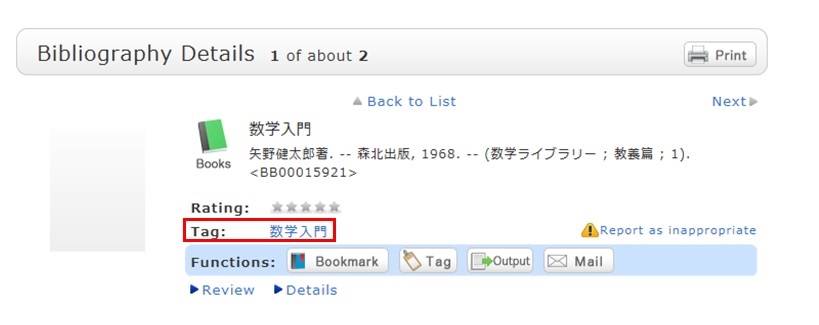
You can register tags on the search result list screen and the bibliography details screen.