


FAQ
FAQ(English)
How do I search with an ISBN or ISSN (number)?
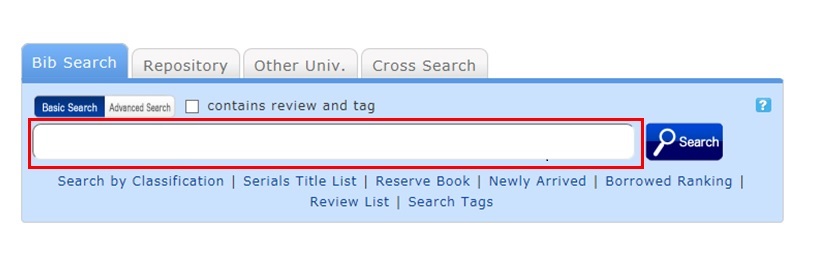
You can also perform a search from the advanced search screen by clicking the [Advanced Search] button on the [Bib Search] tab.
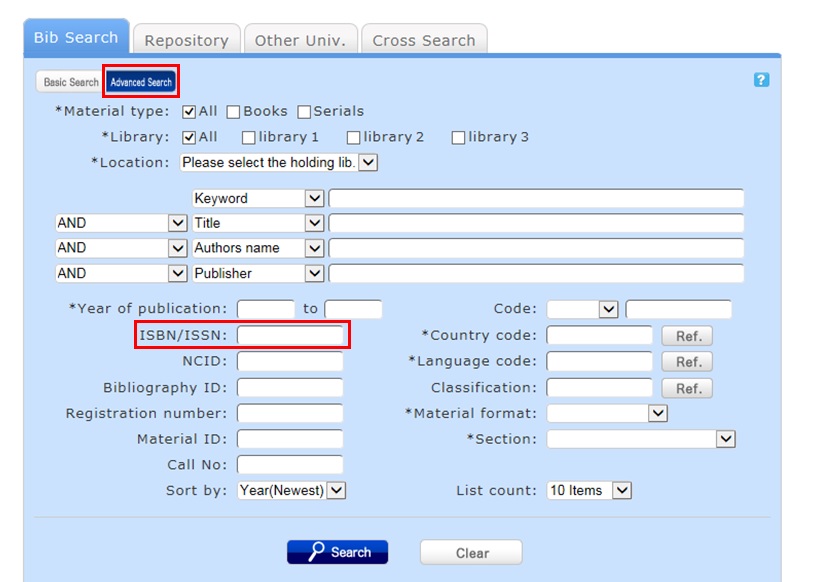
You can perform the search by filling in the ISBN/ISSN field.
ISBN (International Standard Book Number): This number identifies a book.
ISSN (International Standard Serial Number): This number identifies a serial.
日本語 | English
情報検索
 よく使用される
検索サイト
電子書籍検索
Cinii-Books
(大学図書館の本をさがす)
国立国会図書館サーチ
Cinii Research
(日本の論文や研究データをさがす)
J-STAGE
(論文をさがす)
福岡県内公共図書館横断検索

■ Archiv fuer
Musikwissenschaft
■ Early Music
■ Music & Letters
■ International Journal of
Music Education
■ Music Education Research
大学WiFiに接続し閲覧
してください


利用者サービス
開館カレンダー
| 日 | 月 | 火 | 水 | 木 | 金 | 土 |
30 | 31 | 1 | 2 | 3 | 4 | 5 |
6 | 7 | 8 | 9 | 10 | 11 | 12 |
13 | 14 | 15 | 16 | 17 | 18 | 19 |
20 | 21 | 22 | 23 | 24 | 25 | 26 |
27 | 28 | 29 | 30 | 1 | 2 | 3 |
-
9:00ー17:00
-
休館
Web-OPAC(蔵書検索) QRコード
Web-OPACのQRコードはこちら
URL→https://opac.std.cloud.iliswave.jp/iwjs0001opc/cattab.do
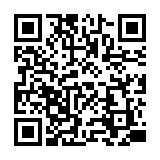
携帯電話やスマートフォンからの蔵書検索はこちらを登録しておくと便利です。
関連リンク